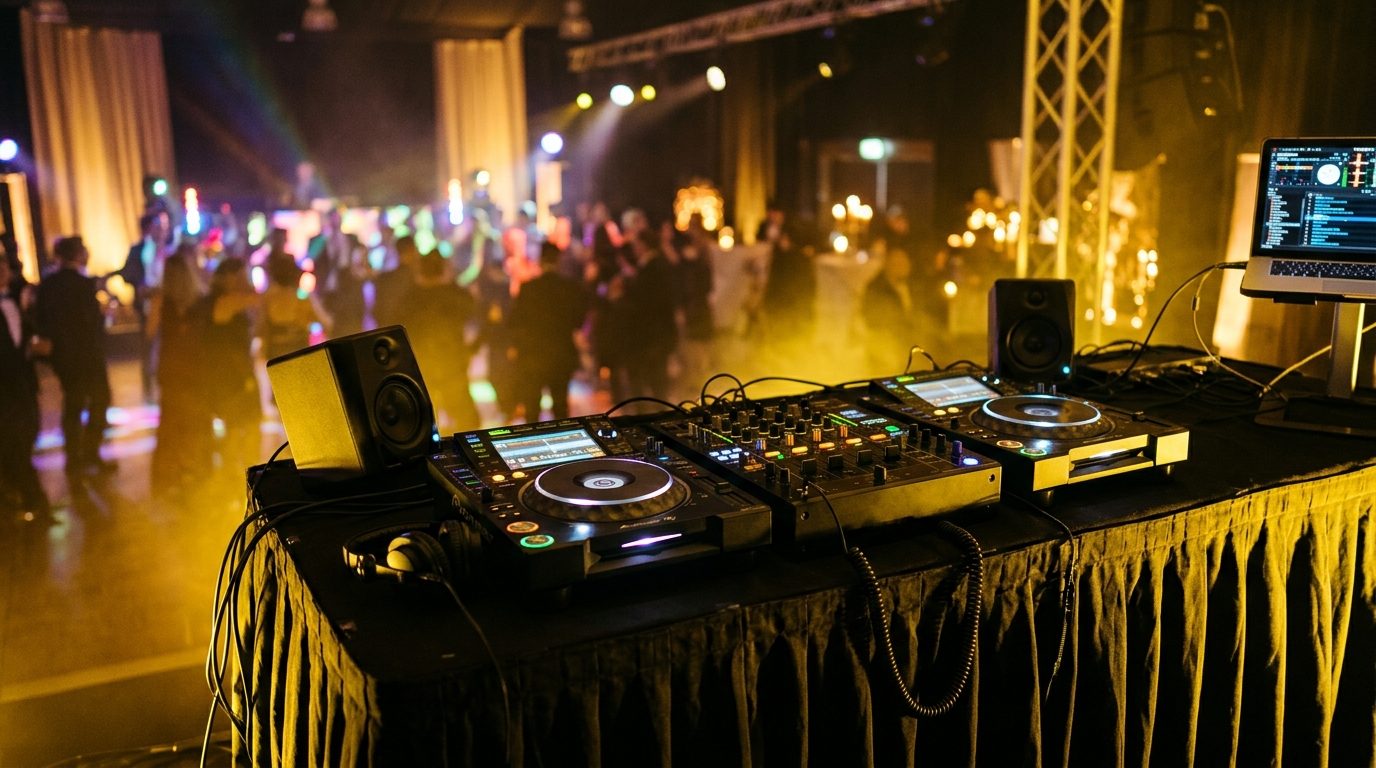
01Three kinds of DJ rig
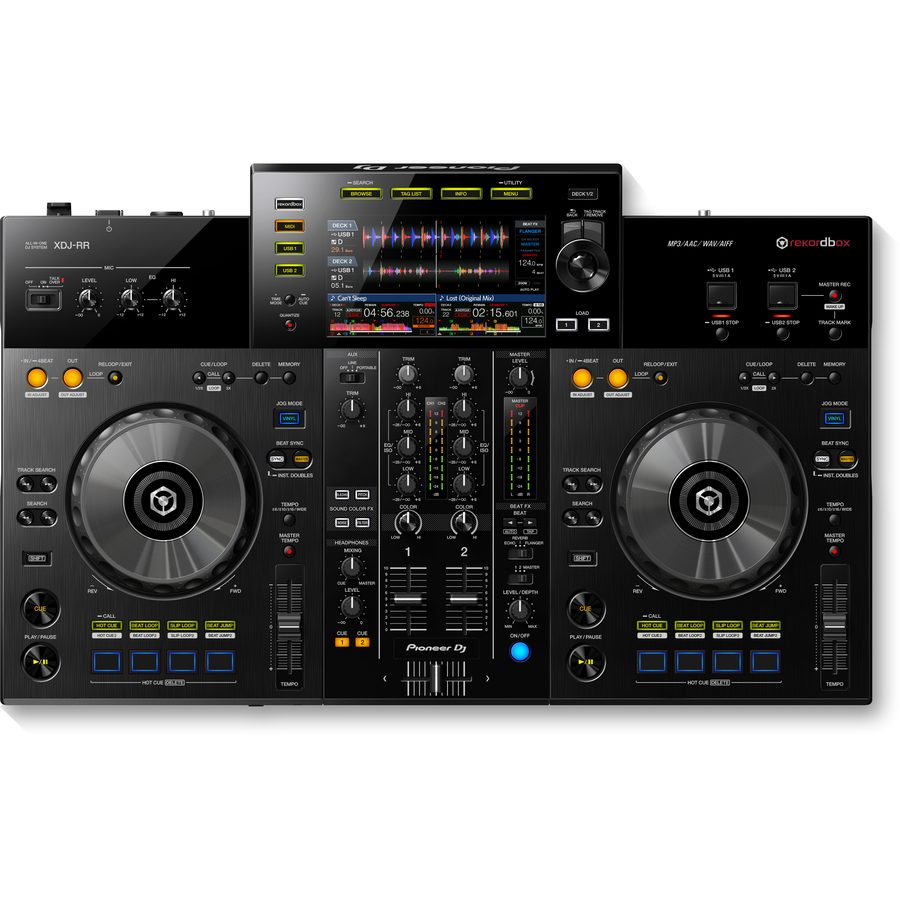 All-in-one (XDJ-RR type)
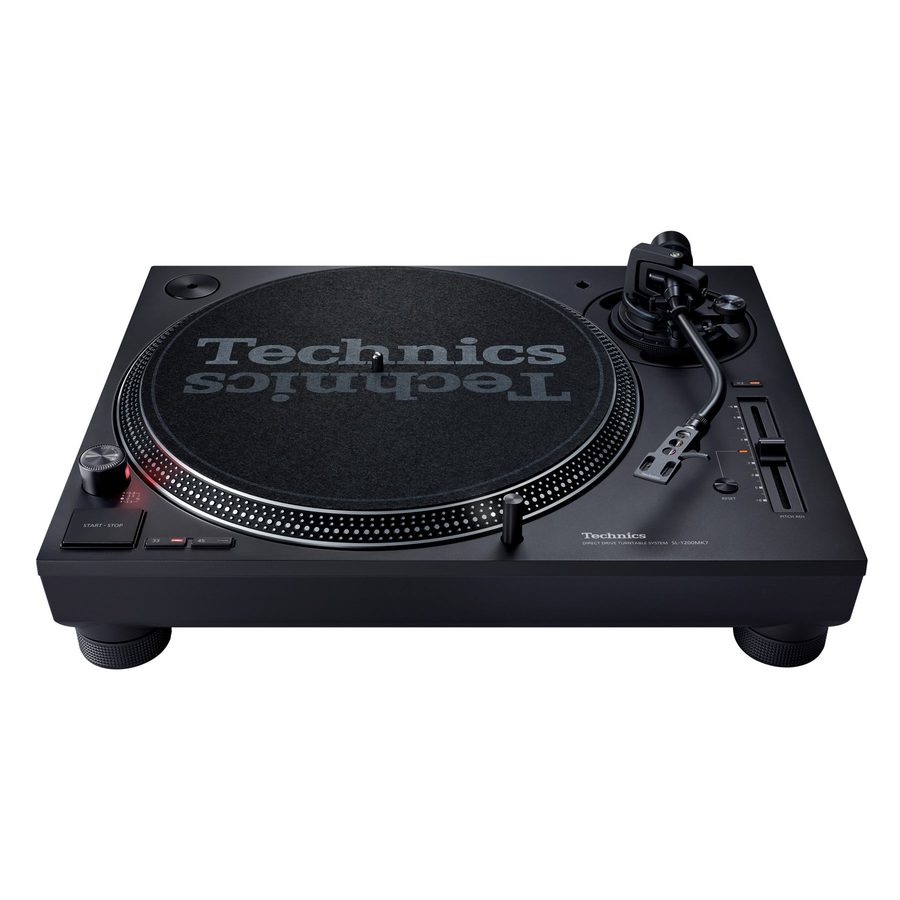 Direct-drive turntable (SL-1200)
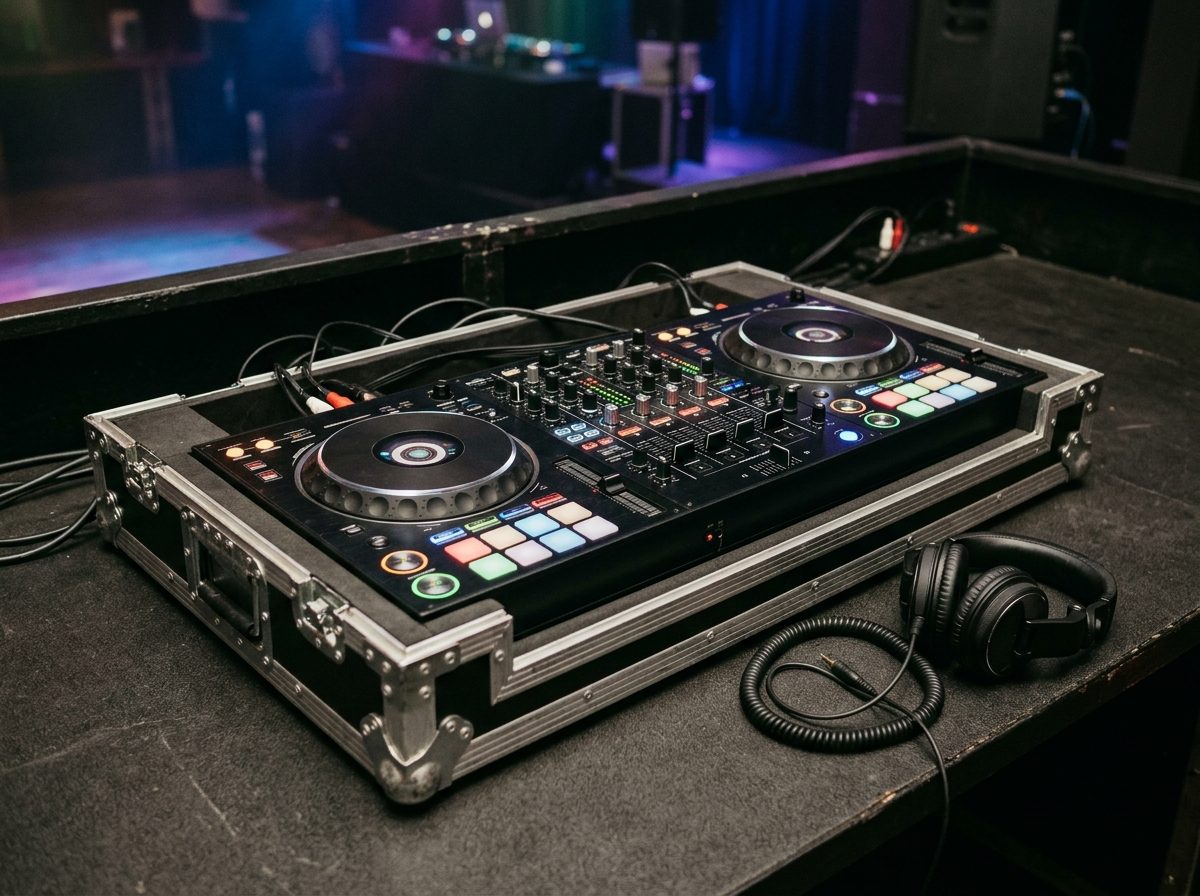 All-in-one in a flat flight case
Almost every DJ you meet plays on one of three rigs. Through the PA they sound the same. What differs is what you carry, how long set-up takes and what can go wrong. Ask which rig it is before the day, not on the day.
All-in-one
Two decks and a mixer in one box. Plays tracks from USB sticks or a laptop. One power lead and one pair of outputs. Used for walk-in and dinner music, small to mid corporate functions, brand activations with a small table, and any job where set-up time is short.
B&W kit: four Pioneer XDJ-RR all-in-ones, each in its own flat flight case. Keep it in the case between jobs.
Media players + club mixer
Two separate players and a 4-channel mixer. The players are linked by a network cable so they can share tracks and timing. Used for dance-floor nights and for DJs who play club gear every week and expect this layout.
B&W kit, arriving in 2027: two Pioneer CDJ-1500X players and a 4-channel Pioneer club mixer.
Turntables + scratch mixer
Two turntables and a 2-channel mixer. With DVS (digital vinyl system) the record is timecode vinyl: the laptop plays the music and the deck controls it like a real record. Used by scratch and open-format DJs who want the vinyl feel. The fussiest rig to set up.
B&W kit: two Technics SL-1200 turntables with a Pioneer DJM-S9-class scratch mixer.
| Rig | Source of music | Set-up time | Most common fault |
|---|---|---|---|
| All-in-one | USB sticks, laptop | Shortest | Stick not exported properly |
| Players + mixer | USB sticks, laptop | Medium | Players not linked, RCA in the wrong socket |
| Turntables + DVS | Laptop, timecode vinyl | Longest | Hum, rumble, timecode drop-outs |
Which rig? What outputs does it have? Does the DJ bring their own sticks, laptop and leads? Never assume the DJ's gear matches what is on your sheet.
02The booth
The booth is where the DJ spends the whole night. A wobbly table, a monitor in the wrong place or a drink next to the mixer ruins the set long before the sound does. Build it before you plug anything in.
Table: height and stability
- Height. The top should sit about at the DJ's elbow, so the forearms are level on the kit. Let the DJ tell you. A table that is too low ruins backs by midnight.
- Stability. Lean on it with both hands and push hard. If it rocks, swap it. A trestle with a cloth over it wobbles, and a wobble makes players skip and turntable needles jump.
- Size. A three-piece rig needs at least 1.8 m of width and about 60 cm of depth. An all-in-one needs less, but the laptop shelf and the DJ's elbows still need room.
- Dance floor. If the floor bounces when guests jump, the table must be off that section or on a solid deck.
Layout and cables
- Mixer in the middle, players either side. On a turntable rig, the decks go either side of the mixer in the same way.
- Laptop on its own stand or shelf next to the table, not on the mixer. It is the heaviest, hottest thing in the booth and the easiest to knock.
- Booth monitor on a stand beside the DJ, at ear height, aimed at the DJ. Not on the table: it shakes the kit and blocks the view of the floor.
- Cables behind the kit. Run them along the back, tie them, tape the loose ones to the floor. A trailing cable is a fall, and a fall takes the whole table.
- Light. Put a soft light on the DJ and the mixer, from the front or side. Not behind them, not into their eyes, and never a hot light on the gear.
No drinks on the DJ table, ever. A spilled drink in a mixer ends the night and can end the night for everyone. Give the DJ a separate small table for the glass or bottle, with a lid if you can.
03Connections
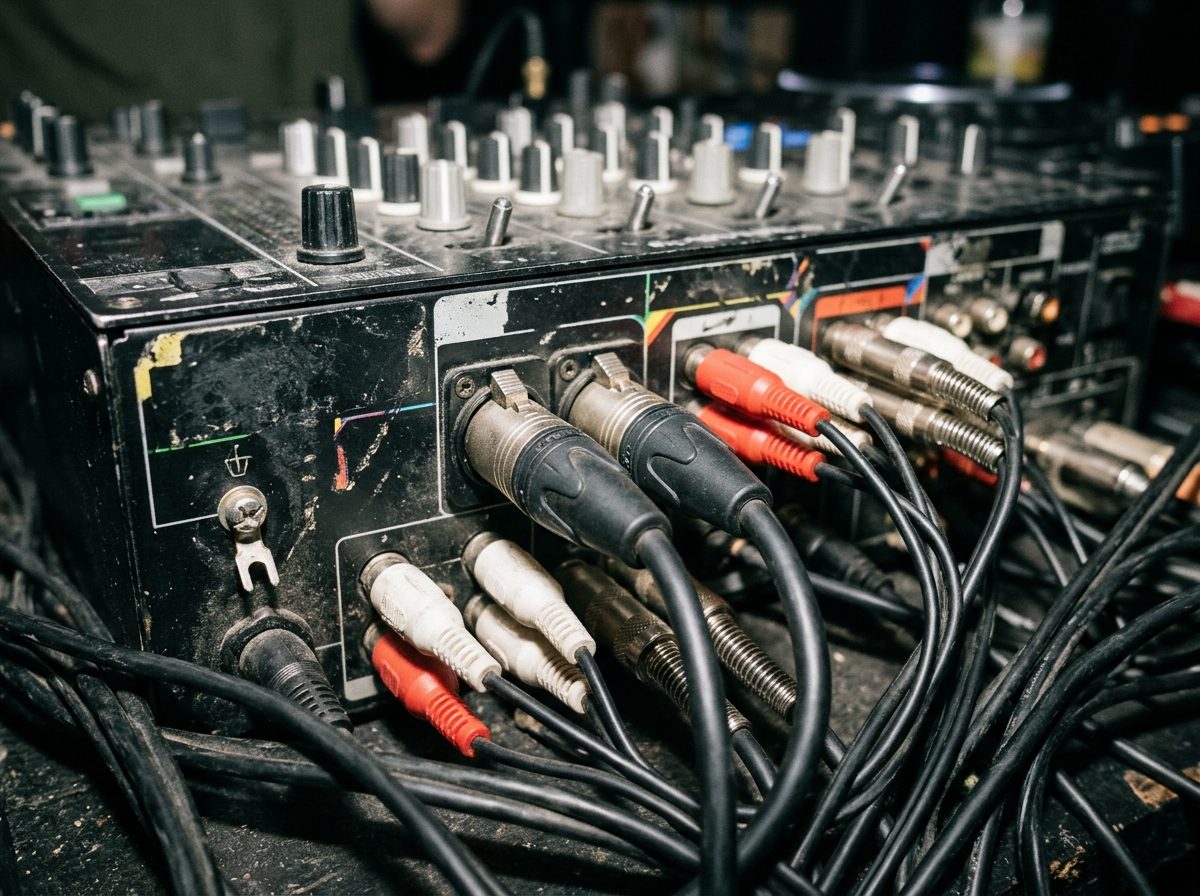
Module 6 covered the cables. Here is how they join up on a DJ rig. Three signal jobs: the players feed the mixer, the mixer feeds the FOH desk, and the mixer feeds the DJ's monitor and headphones. A fourth job, the link between players, carries data, not audio.
| From | To | Cable | Rule |
|---|---|---|---|
| Each player | A mixer channel | RCA, red and white | Red right, white left. One player per channel. Short leads. |
| Player to player | Through a hub or switch | Network cable | Carries data, not audio. Follow the player's manual: some link two directly, a switch always works. |
| Mixer master out | FOH desk or processor | XLR, left and right | Balanced, so long runs are fine. Label them DJ L and DJ R. |
| Mixer booth out | Booth monitor | The lead the monitor needs | The booth has its own level knob. It is not the master. |
| Mixer headphone socket | The DJ's headphones | Headphone jack | The DJ brings their own. Never hire out headphones. |
B&W runs the DJ feed to the FOH desk on a pair of its own XLR leads, labelled DJ L and DJ R. We carry 2, 5, 10 and 50 m lengths. Take the shortest that reaches.
All-in-one
The all-in-one has fewer cables. The decks and the mixer are inside one box, so there are no RCAs and no link cable. The sources go in, the XLRs come out.
The DJ feed is line level. Plug the two XLRs into two desk channels, panned hard left and hard right. Gain right down, phantom power OFF, then bring the gain up while the DJ plays.
04Levels and the limiter
Two people set levels on a DJ feed, and each owns a different knob. The DJ owns the mixer: the master meter. The FOH engineer owns the desk: the channel gain and the room level. If the DJ pushes the master into red, the signal is already distorted and nothing the engineer does can fix it.
- DJ master peaks at 0. On the loudest part of the loudest track the meter touches the top of amber. Red lights mean distortion. Pull the master down.
- Leave the master alone. The DJ controls the loudness of each track with the channel gain (trim), not by driving the master up and down. The room volume is the engineer's job.
- Engineer sets the FOH gain while the DJ plays the loudest track. The desk channel should peak well below its clip light.
- Booth monitor only as loud as the DJ needs to hear. A loud booth leaks into the mics, causes feedback and wears out the DJ's hearing. The OHS limit is 85 dB(A) over 8 hours.
- The limiter in the processor is the last safety (Module 7). It protects the speakers from a mistake. It is not a volume control and it does not fix a distorted feed.
At B&W events the B&W engineer owns the room level. Where the rig runs through the FBT DLM 260 processor, its limiter is the last safety.
Try it: set the DJ level into the desk
| DJ master peak | FOH gain | Result |
|---|---|---|
| 0 dB | 0 dB | Clean. Desk peaks 12 dB below clip. |
| +3 dB | 0 dB | Mixer clipping. Red lights. Pull the DJ master down. |
| 0 dB | +14 dB | FOH input clipping. Turn the desk gain down. |
| -12 dB | -5 dB | Too quiet. Raise the DJ master first, then the desk gain. |
Simplified model: the desk peaks 12 dB below clip when the mixer is at 0 dB and the desk gain at 0 dB. Real desks differ, so always set the gain by ear and by the desk's own meter.
DJ master: peaks at 0, no red. Engineer: gain set with the loudest track playing. Nobody fixes a distorted feed downstream. Fix it at the mixer.
05Music prep
Most "DJ problems" on the night are prep problems. A stick that does not load, a track that is a bad rip, a set with nothing for the speeches. Prep is done at the DJ's desk days before, and you check it again at soundcheck.
- Export, do not just copy. Players read the library the DJ software exports. Drag-and-drop of files into a folder gives a stick the player cannot browse, or one with no cues and no beat grids.
- Format. Most players read FAT32 or exFAT. Check the player's manual for others. FAT32 cannot hold a single file over 4 GB. Format the stick on the DJ's laptop, never on a hire player.
- Two sticks. Identical, labelled A and B. Keep one in the DJ's pocket. A single stick is a single point of failure.
- Laptop backup. The same music on the laptop with the DJ software, charged, with a lead to the mixer.
- File quality. No low-bitrate rips and no video-site downloads: they sound thin and harsh through a PA. Use high-quality MP3 (320 kbps) or lossless if the player accepts it.
- Sorted playlists. At least four, named for the job: Walk-in, Dinner, Dance, Speeches and fillers. For a corporate client, clean versions only: no explicit lyrics.
- Test at the venue. At soundcheck, load each stick in the actual player, play a track from each playlist and set a cue. Do not find out at 6 p.m. with guests arriving.
Two sticks, one laptop, four playlists. If the DJ has one stick and one playlist, say so to the engineer before doors.
06Power
A DJ rig draws very little power. It is also the most easily ruined by bad power. A hum, a crackle or a reset in the middle of a song usually starts with what else is on the circuit.
- Separate circuit. The DJ kit and FOH desk sit on the sound circuit. Lights, catering urns, kettles and heaters sit on another. Heavy loads switching on and off throw spikes and dips into the sound.
- Surge strip. One protected power strip for the booth: mixer, players, laptop charger. One lead from the strip to the distro. The engineer decides which outlet.
- Never share. No kettle, heater, phone charger bank or hair straightener on the same multiplug as the DJ kit.
- Crew plug in only. You plug leads into the outlets you are given. You never open a plug or work on a distribution board. That is an electrician's job.
- Power cut plan. If the power drops, music must not stop. Keep a phone with a playlist and a stereo lead ready, in airplane mode, volume up. If the DJ mixer still has power, plug into a spare input on it. If the DJ circuit is dead, plug straight into a spare FOH channel.
If a lead hums, the fix is a different lead or a different outlet. Never lift a mains earth or use a pin adapter that defeats it.
07Turntables
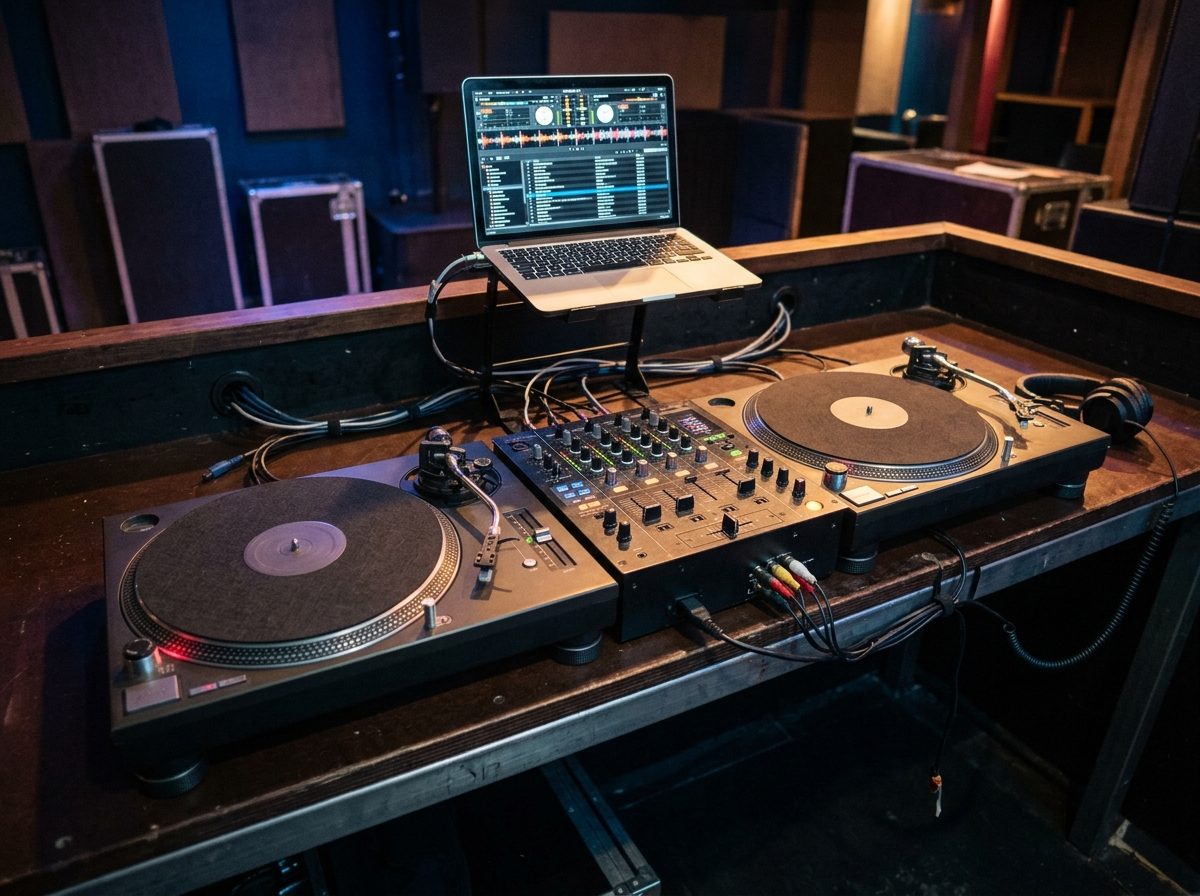
A turntable is the most delicate thing in the booth. A good deck set up wrong sounds worse than a cheap deck set up right. Before the first record: tonearm, stylus, ground wire, and where the subs are.
- Tonearm. Set the counterweight to the tracking force the cartridge maker gives. Transport knocks it, so check it on site every time.
- Anti-skate. Set it to the cartridge maker's figure. If the maker gives no figure, follow the deck's manual. Do not guess.
- Stylus care. Guard on for transport. Brush it gently from back to front with a stylus brush. Never sideways, never with a finger, and never drop the arm onto bare platter.
- Phono input. A turntable needs a phono input, because its signal is tiny and needs the phono stage to lift it. Plugged into a line input it is very quiet and thin. Set the mixer's channel switch to PHONO.
- Ground wire. The thin wire from the deck goes under the GND screw on the mixer. Without it you get a loud hum that fades when you touch the deck. This is a signal ground, not a mains earth.
B&W's SL-1200s: check the tonearm against the cartridge maker's figures on site, because transport knocks it. Keep the booth well away from the JBL subs.
Feedback from the subs
Bass from the subs shakes the floor and the table. The stylus picks the shake up like it was music, the mixer sends it to the PA and the subs shake more. A low rumble builds until the system howls. On DVS rigs it also drops the timecode, so the music stutters.
Turntable booth: heavy table, isolation under the decks, away from the subs, never on a deck beside a sub. Ask the engineer to cut the very low end on the turntable channels if rumble still builds.
08Changeovers and the MC
At a corporate event the DJ changes, or an MC takes the floor, and silence is the enemy. Plan for a changeover the way you plan for a power cut: the music must not stop.
Swapping DJs without silence
- The second DJ sets up first. Their rig is wired and level-checked while the first DJ is still playing.
- Two options. Best: the second rig has its own XLRs into spare FOH channels. Next best: the second DJ plugs into the free channel on the same mixer, or uses the free player.
- Check with headphones. The second DJ cues the first track in headphones, not through the PA.
- Match the level. The new DJ's peaks should sit at 0, same as the first. A new DJ who is quieter or louder makes the room jump.
- Hand over. The engineer or the first DJ fades. Only then does anyone touch the old rig.
Do not pull a USB stick from the player that is playing. It stops the music. Load the next stick on the free player.
MC mic: DJ mixer or FOH?
The MC mic can go into the DJ mixer's mic input, or into its own FOH channel. FOH is better. The engineer controls the gain, the EQ and the level, and can pull it down at once if it feeds back. A mic on the DJ mixer is controlled by the DJ, who is looking at the decks and cannot hear what the room hears.
Speeches in the middle of a set
- Agree the order with the DJ and the MC first: who speaks, how long, and who gives the cue.
- The DJ brings the music down rather than stopping it dead, or hits a pause and a cue point. Then brings it back up when the MC is done.
- Turn the booth monitor down while a mic is live, or point it away. A live mic and a loud booth is the quickest feedback.
09Booth checklist and fault table
Print it, tick it, and do it in this order every time. It takes ten minutes and finds the problem while the room is still empty.
- Table and layout
Table solid, at elbow height. Players either side of the mixer. Laptop on its own stand. Monitor on a stand. Drinks on a separate table. - Power
Surge strip on the sound circuit. Nothing from the catering or light circuit on it. Backup phone and lead ready. - Wire the sources
RCA red right, white left, into the right channels. Link cable through the switch. Turntables: ground wire on, switch to PHONO. - Wire the outputs
Master out on two labelled XLRs to the FOH desk. Booth out to the monitor. Everything off at the far end. - Music check
Both sticks load in the actual player. Four playlists there. Laptop backup charged and ready. - Gains and faders down
Channel faders, master and booth all down. Power on from the source to the speakers. - Level with the loudest track
DJ plays the loudest track. Master peaks at 0, no red. Engineer sets the FOH gain. - Booth level
Raise the booth monitor until the DJ can hear. No further. - Test the second player and the MC mic
Each player in turn, and the MC mic on its FOH channel. No feedback with the booth up. - Hand over to the DJ
The DJ checks their cues, headphones and tone. Cables taped down, nothing left on the table that should not be.
If it is wrong
| Symptom | Most likely | Check |
|---|---|---|
| No sound from one player | RCA out of its channel, channel off or fader down, wrong input selected | RCA both ends, channel input switch, channel meter. Swap to the other channel to prove the player. |
| Hum | Missing turntable ground wire, bad lead, shared circuit | Ground wire on the GND post. Swap the lead. Plug the booth into the sound circuit. |
| No link between players | Network cable out, switch off, players not on the link setting | Both cable ends, switch power, link light on the player. |
| USB not reading | Not exported, wrong format, stick not seated | Reload on the free player. Use stick B. Re-export from the laptop. Check FAT32 or exFAT. |
| Booth monitor feeding back | Monitor too loud or pointed at a live mic | Turn it down, or point it away from the mic. Check the MC mic is on FOH. |
| Distortion on the whole system | DJ master in the red, or FOH channel clipping | DJ mixer meter first, then the desk's clip light. |
| Rumble that builds | Feedback from the subs into a turntable | Move the booth, add isolation, ask the engineer to cut the very low end. |
Solid table, short leads, balanced out to FOH, peaks at 0, two sticks, separate power, and the engineer owns the room.
10Check what you learnt
Ten questions. Pick an answer for each, then press Mark my answers. You need 8 out of 10 to pass this module. You can retry as often as you like.
Ten questions. Circle one answer for each. The answer key is on the last page. Pass mark: 8 out of 10.
Answer key
Photos: product images courtesy of the manufacturers (RCF, Neutrik) and their distributors; scene photographs are AI-generated illustrations and do not show B&W Productions equipment or events.