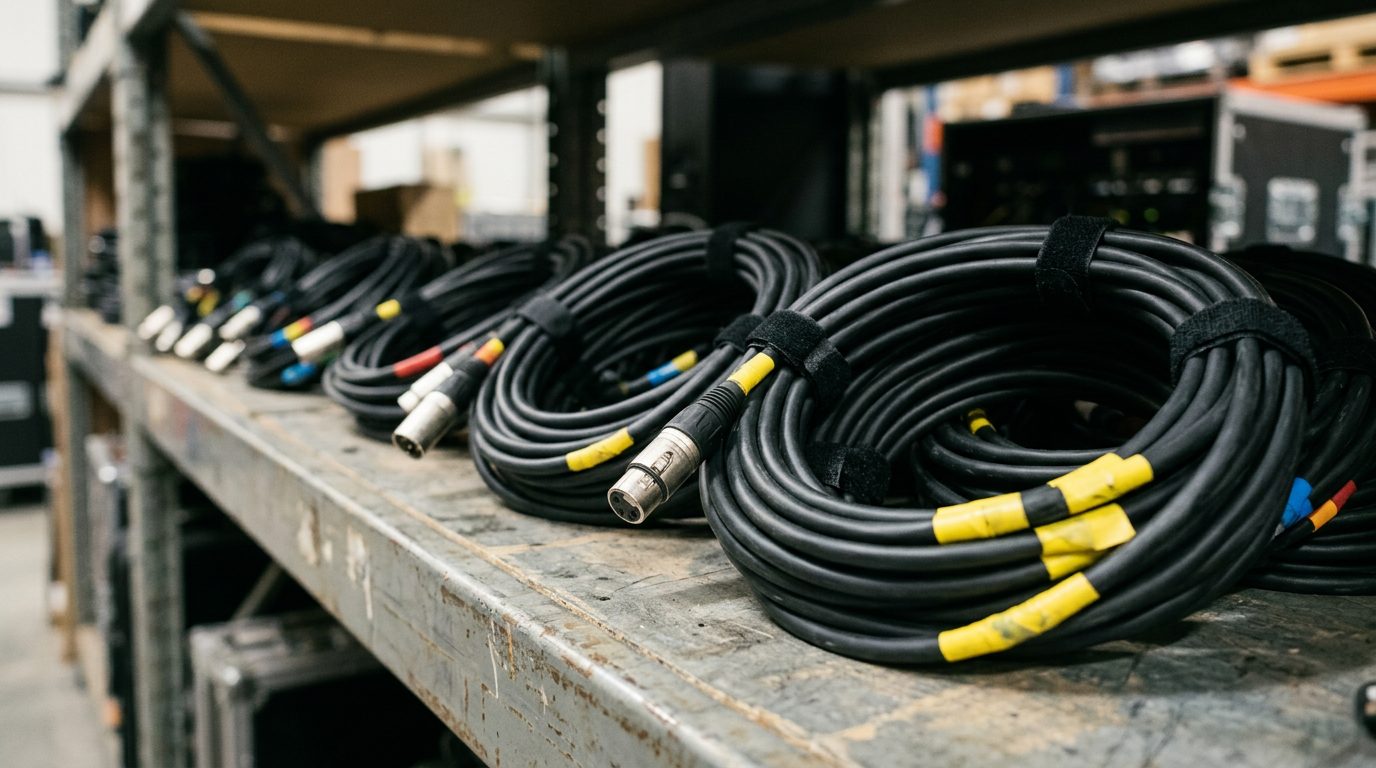
01Why cable discipline matters
Cables are the least exciting kit on the truck and the most common reason a show stops. A speaker, a mixer or a mic rarely dies on its own. A cable gets stepped on, pulled, crushed, bent sharp or left wet, and the fault shows up as a crackle, a hum or silence. Crew who handle cables well make every other job easier.
Three reasons it matters
Most faults are cables
When a channel is dead, noisy or cutting out, the cable is the first suspect, not the desk. A crew that coils, tests and tags its cables spends the show listening, not fault-finding.
Tidy runs are safe runs
Guests, caterers and your own crew walk through the venue in the dark with full hands. A cable across a walkway is a trip, a fall and an incident report. Tidy is a safety job.
Clients judge you by them
A client who sees neat, taped, labelled runs assumes the sound will be neat too. Spaghetti on the floor tells them the opposite before you have played a note.
Every cable goes out tested, comes back coiled and goes back in its own bin. Nothing else in this module matters if you skip that.
In the B&W kit: XLR cables in 2, 5, 10 and 50 m, with 5 to 10 of each length in the stock bins.
02Over-under coiling
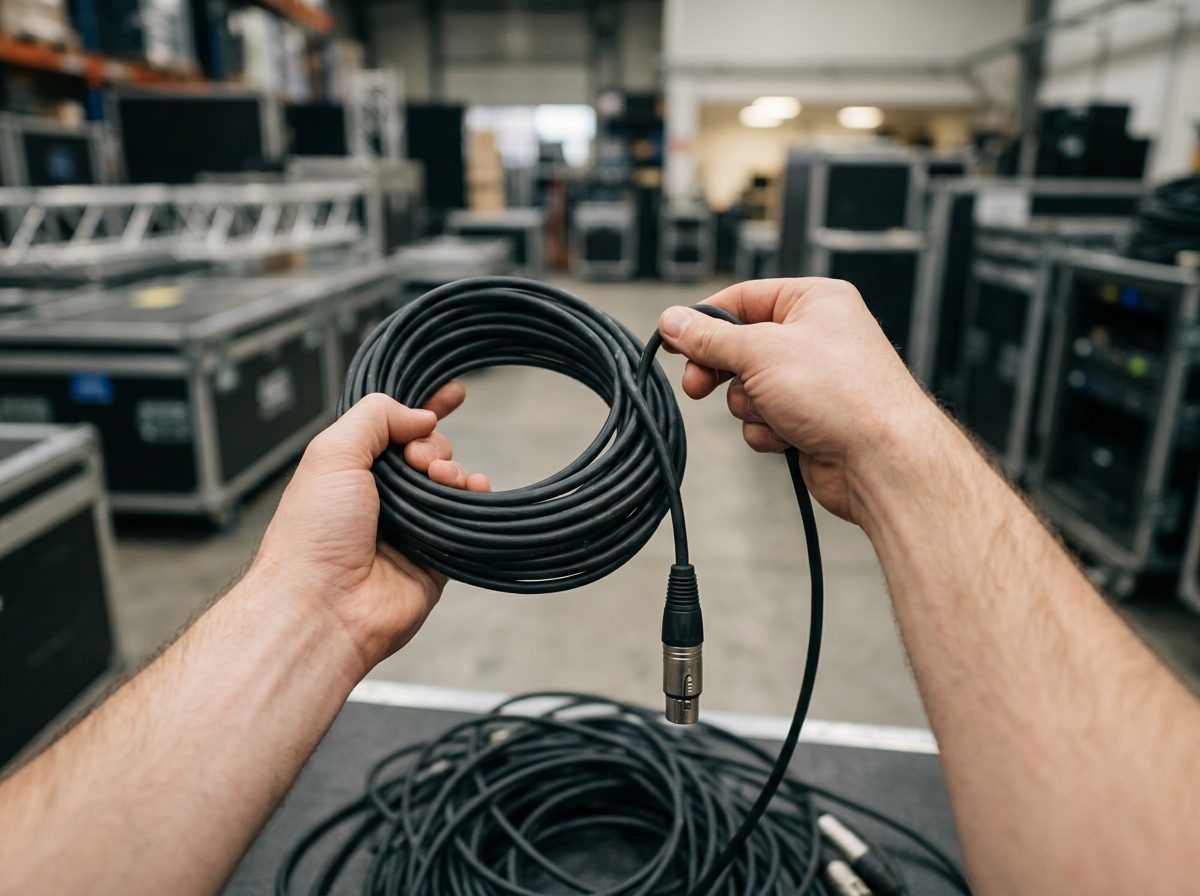
Every cable has a natural twist from the factory. If you wind it round your hand like a garden hose, each loop adds a twist. Throw it out later and the cable kinks, tangles and fights you. Over-under coiling cancels the twist: you flip every second loop the other way, so the twists add up to nothing. The cable lies flat, pays out in a straight line and never knots.
How to do it
- Hold the plug end in your left hand and let the cable hang. Run the cable through your right hand to feel for kinks or damage as you go.
- Make the first loop (over). Lay the cable across your left palm so it forms a loop about 40 to 60 cm across. Pinch the crossing point with your left thumb.
- Make the second loop (under). Turn your right wrist the other way, so the cable now sweeps under instead of over. The loop falls the opposite direction.
- Keep alternating over, under, over, under until you reach the far plug. Keep the loops the same size so the coil is even.
- Leave the last 30 cm free and use it to wrap the coil once, then tuck the plug under the wrap. Better still, close it with a Velcro tie (below).
Never wrap a cable round your elbow and hand. It twists every loop, strains the cable at the elbow bends and makes a coil that cannot be thrown out straight. And never pull a cable by the lead: pull by the plug body.
03Choosing the length
The wrong length wastes time. Too short and the plug is pulled tight, a trip hazard or a failed joint. Too long and you have a pile of excess to hide. The fix is a two-line sum before you grab a cable: measure the route, add slack, pick the next size up from the bin.
The sum
- Route length in metres, walked or measured the way the cable will lie, not the straight line.
- Add 10% for the wander, the dips and the sloppy tape line.
- Add a loop at each end, about 1 m each, so no plug is hanging off a tight cable (see Lesson 5).
- Add 0.5 m for every corner, rise or step up on the route.
- Grab the next size up from the stock lengths: 2, 5, 10, 20 or 50 m.
Try it: how long a cable?
Reading the result
| Stock length | Use it for | Longest route it covers (no corners) |
|---|---|---|
| 2 m | Patching within a rack or across a desk. No route, so no loops. | — |
| 5 m | Stage-side hops: mic to stage box, DJ to a nearby speaker. | 2.7 m |
| 10 m | Small stage or a short run across a room. | 7.2 m |
| 20 m | Most mixer-to-stage runs in a hall. | 16.3 m |
| 50 m | The long haul: a marquee, a stadium bowl, a far FOH. | 43.6 m |
Never use a cable at its exact length, and never join two to save a trip to the truck. A join is a second plug that can fail. If it is more than 50 m, use a digital snake (Lesson 6).
B&W stock lengths for XLR are 2, 5, 10 and 50 m. There is no 20 m XLR, so a 12 to 20 m route takes the 50 m. Do not join a 10 and a 10 to save the coil.
04Labelling and colour coding
A tidy rig still fails if nobody can tell which cable is which. Labels turn fault-finding from a ten-minute hunt into a ten-second look. Do it once at the warehouse and it works on every show.
Label both ends
Write what the cable feeds, not what it is. "Kick mic" is useful. "XLR" is not: you can see that. Use a strip of paper tape or a cable label folded round the cable near the plug, flagged so it reads from a step away. Write it in marker, in capitals, the same at both ends.
Colour code by length or by system
Coloured tape bands do two jobs. A band of the same colour on every cable of a length lets you sort a heap of cables in seconds. A band by system (audio, video, power, DMX) stops a power lead being plugged into the wrong thing. The simplest scheme is one colour per length, one band at each end, 5 cm wide, next to the plug.
| Length | Example colour band | System label |
|---|---|---|
| 2 m | White | A: audio |
| 5 m | Green | V: video |
| 10 m | Yellow | P: power |
| 20 m | Blue | D: DMX / lighting data |
| 50 m | Orange | N: network (Cat6) |
The colours above are an example. Use the chart on your store's wall, and keep to it. A scheme that changes from show to show is worse than none. Red is reserved for faults (Lesson 7), so never use it as a length colour.
The patch sheet matches
The patch sheet is a list of every input and output, and what it connects to. The label on the cable must say exactly what the patch sheet says.
| Label | From | To | Length |
|---|---|---|---|
| DESK OUT 3 → WEDGE 1 | Mixer aux out 3 | Wedge 1, stage left | 20 m |
| CH 14 SNARE | Snare mic | Stage box input 14 | 5 m |
| MAINS L FEED | Amp rack out A | Left stack | 10 m |
If you change the patch on the day, change the label and the sheet. A label that lies is worse than no label.
05Running cables
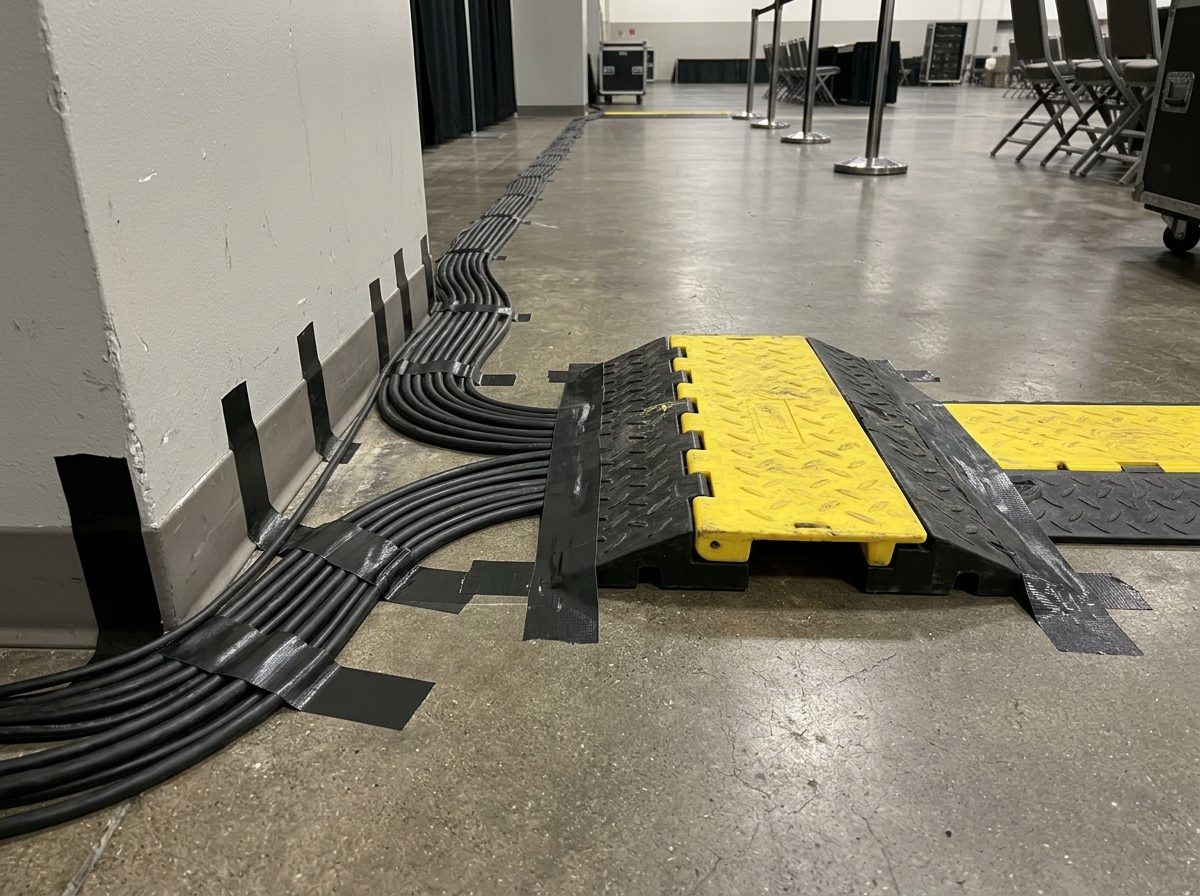
Where a cable goes matters as much as which one you pick. The rule is simple: put the cable where nobody will touch it, and keep the cable that carries signal away from the cable that carries power. Walk the route before you unroll anything.
The rules
- Run along walls and edges. The wall is where people are not.
- Never across a walkway unless it is under a cable ramp, or, if the venue has none, taped flat with gaffer tape. Use gaffer, not duct tape: gaffer lifts clean and does not stretch. Duct tape leaves a gum that wrecks floors and cable jackets.
- Keep doors and fire exits clear. A cable through an exit doorway, even taped, is a safety failure. Find another route or ask the venue.
- Nothing hanging where it can be pulled. No cable swinging at head height, dangling from a truss, or looped over a chair. Tape it up out of reach.
Power and signal stay apart
A power cable carries a changing magnetic field. A signal cable running next to it can pick up hum. Keep them apart. If they must meet, cross at a right angle. At 90 degrees only a tiny length of each cable is near the other.
Service loops and strain relief
A service loop is a spare loop of cable left near each end, about one forearm across, taped down or tucked behind the kit. It lets a plug be pulled out, moved or replaced without moving the whole run. Strain relief means the pull on a cable is taken by the tape and the loop, not by the connector. A tight cable pulls on the plug's solder joints and breaks them.
Never run a cable through a fire exit, across a walkway with no ramp or tape, or where the public can reach a power lead's joint. If you cannot find a safe route, tell the lead and re-plan. Do not just tape harder.
At B&W the power runs are Janus and CEE leads. Keep them away from the XLR runs, and uncoil a power lead fully before it carries a load.
06Multicores, looms and stage boxes
Running 16 single XLRs from stage to desk means 16 cables to lay, label, tape and strike. A multicore puts them in one jacket. A digital snake puts them on one thin network cable. Both turn a rat's nest into one tidy line.
When to use which
| Situation | Use | Why |
|---|---|---|
| Many channels, desk is far | Digital snake over Cat6 / etherCON | One light cable, quick to run and strike, easy to carry. |
| Analogue desk, no digital stage box | Analogue multicore | The desk has no network input, so the audio has to arrive as separate channels. |
| Four or fewer channels | Single XLRs, taped together as a loom | A snake is more kit than the job needs. |
| Fewer, long runs to the same place | Loom: single cables taped in a bundle | One line to the same end. |
etherCON is a rugged, locking version of the RJ45 network plug. It survives being stepped on better than a bare RJ45. Cat6 shielded cable carries a lot of channels on a thin lead. Treat it with the same care as XLR: do not kink it, do not crush it, and never use it as a rope. A damaged Cat6 can look fine and still drop out mid-show.
Taping a loom
A loom is a bundle of cables taped together so they run as one. Lay the cables side by side, check the labels all face the same way, and tape every metre with gaffer. Leave the last 50 cm free at each end so the plugs reach their sockets.
Tidy at the desk end
The desk end is where the audience, the client and the MC can see you. Fan each cable out to its channel in order, left to right. Leave a service loop. Tape the fan-out down so the desk can be moved a hand's width without strain. Put the stage box's own power lead and the network lead on separate sides.
One fat line is easier to tape, route and protect than twenty thin ones. Use a snake wherever you have more than a handful of channels to move.
B&W has a 50 m shielded Cat6 for the stage box. Treat it as the one cable that carries every channel: coil it over-under, tie it and test it before it leaves the warehouse.
07Testing and fault tags
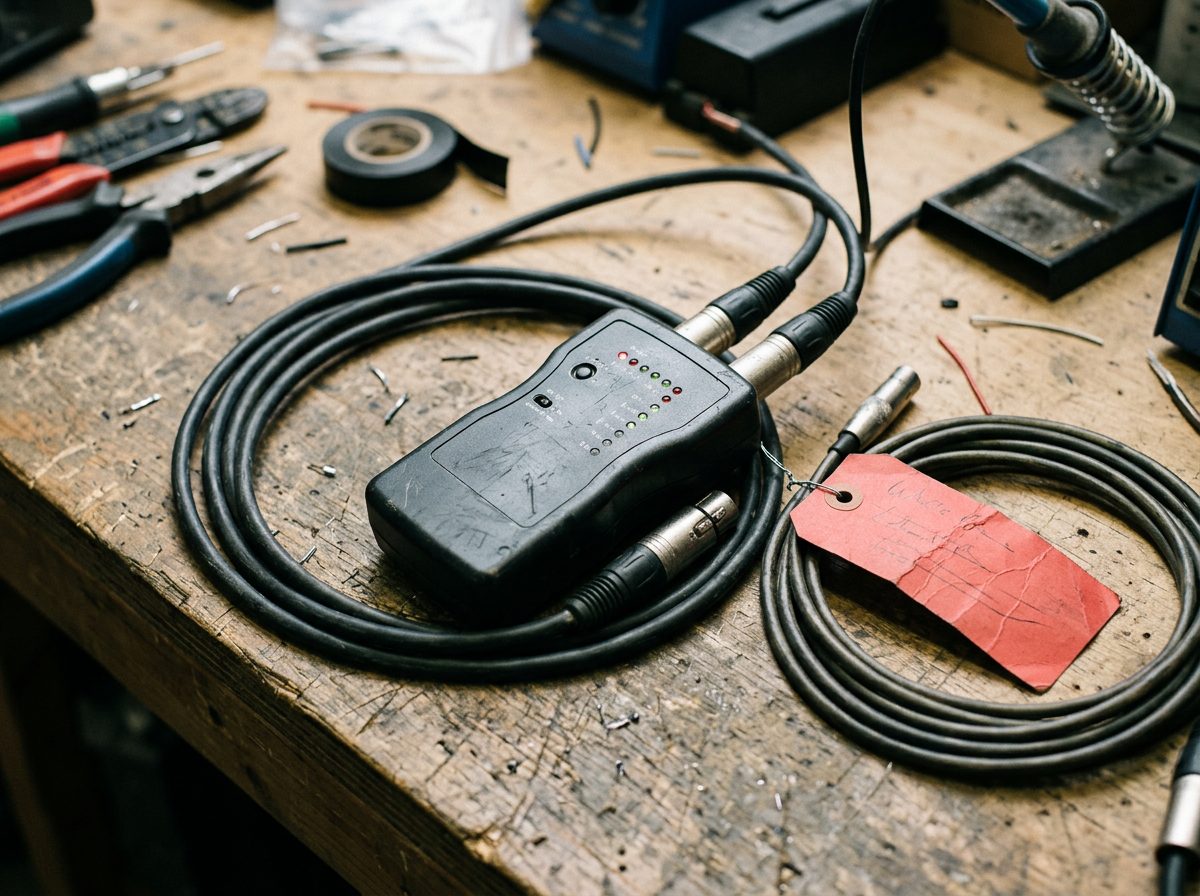
You cannot see most cable faults. A broken wire inside a good-looking jacket is the commonest. The only way to know a cable is good is to test it, before it leaves the warehouse and again when it comes back.
The cable tester
A cable tester is a small box with two sockets, one for each end of the cable. Plug both ends in and press the button. A row of lights shows each pin in turn. All lights must come on in order, with none missing and none lighting out of order (that is a crossed pair). It takes ten seconds a cable.
The wiggle test
The tester only proves the cable at one moment. Most real faults appear when the cable moves. Leave the tester running and flex the cable near each plug and along its length. Roll it between your hands. Bend the plug's strain relief both ways. If any light flickers or drops out, the cable is bad: the break is intermittent, and it will fail during the show.
The fault tag
A failed cable gets a fault tag straight away: a strip of red tape round the cable by the plug, with the fault written on it. "Dead" is not enough. Write the pin or symptom, the end and the date.
Never put a broken or doubtful cable back in the stock bin "for later". It will come out on the next show and fail on someone else. Red tag, repair box, every time. Repairs (re-soldering a plug) are for the person who does them, not for you at the venue.
08Pack-down and storage
Pack-down is where cable discipline pays back. A cable coiled properly, tied, sorted and counted comes out at the next show ready to run. A cable thrown in a heap comes out twisted, damaged and missing.
The rules
- Coil and tie every cable over-under, with a Velcro tie, the moment it comes off the rig.
- Sort by type, then length. One bin for 5 m XLR, another for 10 m. Mixed bins make the next load-out a hunt.
- Label the bins and match their colour to the cable tape.
- Dry damp cables. A cable that has been rained on or wiped down is left to dry before it is bagged. Damp inside a closed bin causes corroded pins and mould.
- Count in versus out. Count cables of each type and length onto the truck and count them off at the end. Compare with the pack list. A missing cable found on site is a minor job; found at the next show it is a delay.
| Type and length | Out | In | Missing or red-tagged |
|---|---|---|---|
| XLR 10 m | 12 | 11 | 1 missing: check stage |
| XLR 5 m | 8 | 7 | 1 red tag (pin 3) |
| Power 10 m | 4 | 4 | none |
The numbers above are an example. Write your own on the pack list, with the person's initials, at both ends of the job.
The pack-down checklist
Work through it at the end of every show. Tick each box.
- Power off first
Kit off, then power leads out. Never pull a plug under load. - Lift the tape
Peel gaffer off the floor and the cables. Leave nothing stuck down. - Coil over-under
Every cable, no elbow wraps. Feel along it for damage as you go. - Tie each coil
One Velcro tie, plugs tucked in, label showing. - Tag the faults
Anything that felt wrong or looked damaged gets red tape and a note. - Dry what is wet
Wet cables are hung to dry before they are stored. - Sort into bins
By type, then length. Red-tagged ones into the repair box. - Count in against out
Compare with the pack list. Chase anything missing before leaving the venue.
Coil right, tag faults, keep bins honest. Next time somebody else will be running that cable at 2 am.
09Check what you learnt
Ten questions. Pick an answer for each, then press Mark my answers. You need 8 out of 10 to pass this module. You can retry as often as you like.
Ten questions. Circle one answer for each. The answer key is on the last page. Pass mark: 8 out of 10.
Answer key
Photos: product images courtesy of the manufacturers (RCF, Neutrik) and their distributors; scene photographs are AI-generated illustrations and do not show B&W Productions equipment or events.